
 Home
Home Contact Us
 Discord
 Chat [0]
 Store
Store Exchange
 Forum
Forum
Board index ‹ Roller Coaster Games ‹ Hard Hat Area ‹ Intimidator 305 - Now available to download!
And that pic dosen't?![[lol]](https://coastercrazy.com/forums/images/smilies/icon_e_ugeek.gif "test")
The problem is that it needs to look like this:
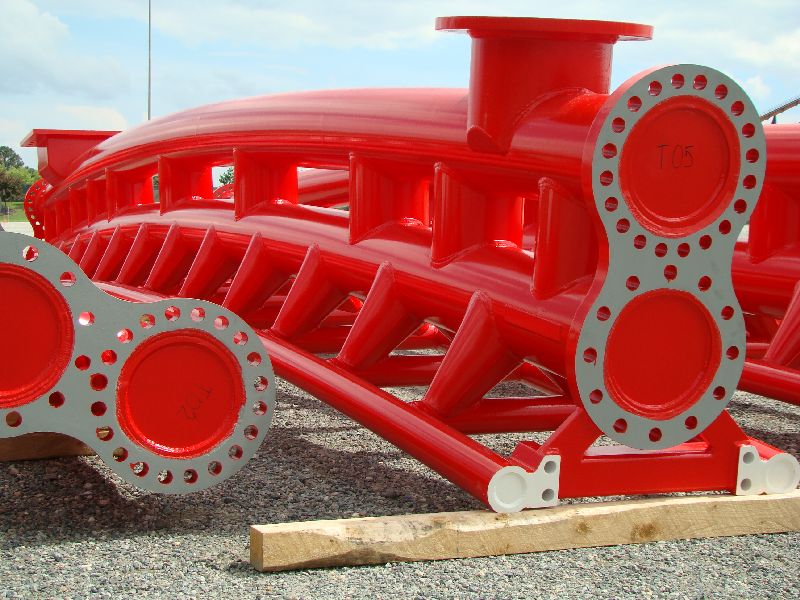
There needs to be a space between the two spines.
Intimidator 305 - Now available to download!
 August 30th, 2009, 1:33 pm

^I was just about to say that
Coaster Count: 582 // Top Five: 1. Helix 2. Nemesis 3. Big Bad Wolf 4. Boulder Dash 5. Balder
Coasterkidmwm wrote:
4 G's to the taint was a bit much for me because I'm not a power bottom like Turbo
yeah its definitely too wide. it makes the track look tiny.
http://www.rcdb.com/4520.htm?p=23576
Thats the lift truss in pieces. Make it that size.
http://www.rcdb.com/4520.htm?p=23576
Thats the lift truss in pieces. Make it that size.
^the message is up there^
Originally posted by musicmonkey
yeah its definitely too wide. it makes the track look tiny.
http://www.rcdb.com/4520.htm?p=23576
yeah its definitely too wide. it makes the track look tiny.
http://www.rcdb.com/4520.htm?p=23576
And that pic dosen't?

The track piece under the lift hill looks way too big
Truss, Giga Supports, Cable Anti Rollback thing, and Brake fins are complete. I can't go further without the custom track spine, as it will be my visual . Here are some pics:
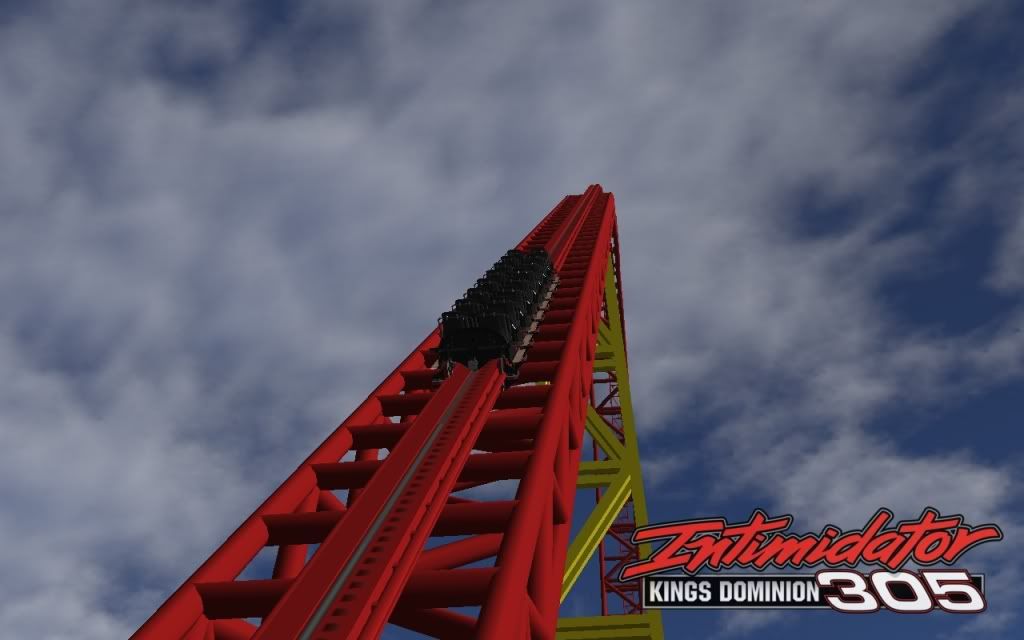
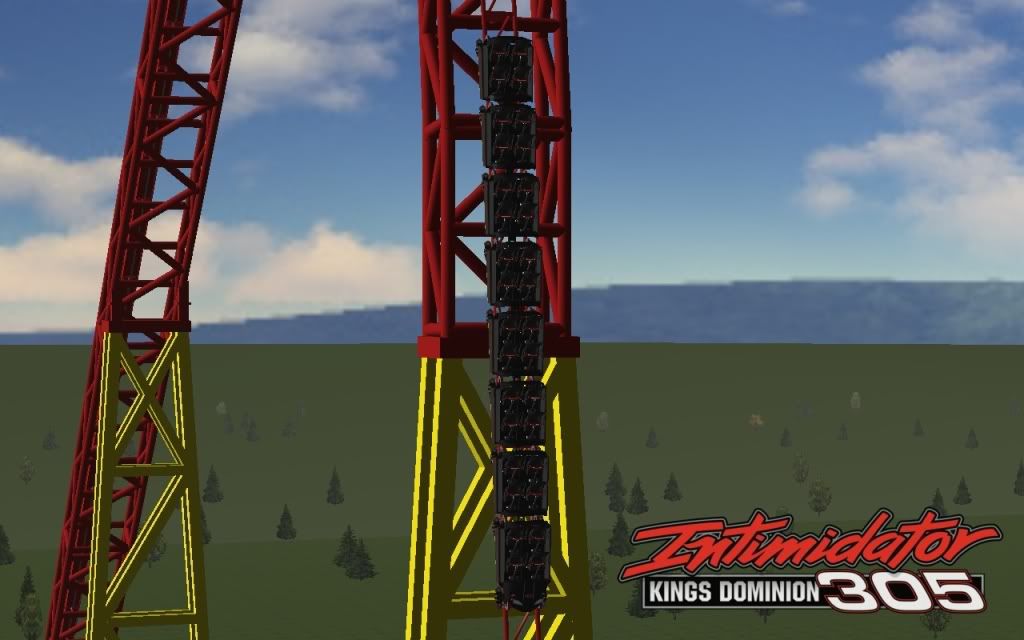
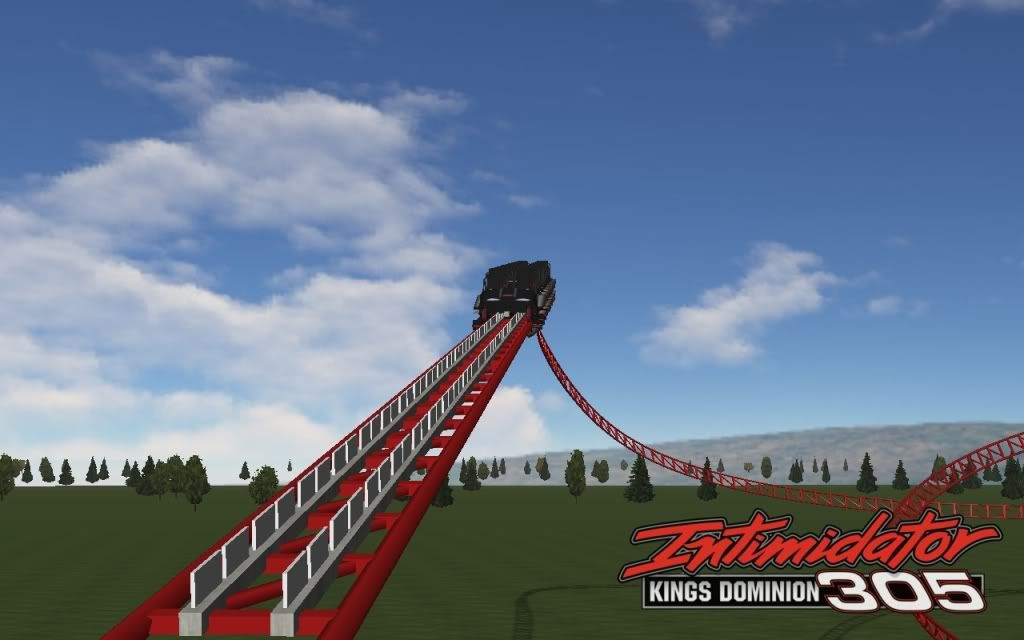
. Here are some pics:

it looks like the track should be more to the left on the lift hill to me, but I'm not sure
What are these for?
^And it looks way too big still, but thats just me
It looks awesome! [8D] However, as stated before, the support structure leaping with the track in the lift is waaay too beefy in your version. The track is also supposed to be running at the right side of that lift support.
But, I've to say I'm very very impressed with this project, it looks awesome! [^]
But, I've to say I'm very very impressed with this project, it looks awesome! [^]
^ Thanks Tom, It may be just a tad beefy, but it's not a concern of mine. You can't tell 100% from the pictures, but the track is on the right side of the lift truss.
Thanks for the comments.
Thanks for the comments.

This looks insane! Keep up the awesome work!
I can't wait to ride that.
I don't think I can make the track spine on my own. When I imported the 3ds Model of my track (Gracias Matt) into Sketchup, the framerate was incredibly low, and it was too difficult for me to do what I had to do and would take a lot more than the 8hour trial limit that I had. Would anybody be kind enough to help out in some way? Thanks
I would try to help, but I have no experience in Sketchup whatsoever.
Are you planning on doing the double spine as well?
Are you planning on doing the double spine as well?
Just keep scrolling...
Yeah. But I think Matt said that with the full version of the Constructioin Kit you can make a spine. Thanks griff. Does anybody here who have the full version of the CK would be kind to help?
Ah. No prob. You don't wanna beg matt again? lol
Just keep scrolling...
^ I don't want to bother him, he's busy working on his awesome new site.
Again, if you could help, I would greatly appreciate it.
Again, if you could help, I would greatly appreciate it.

What you could do instead of using 3-d's, is put a track node on every tie, then connect them with size 3 tubes, like this.
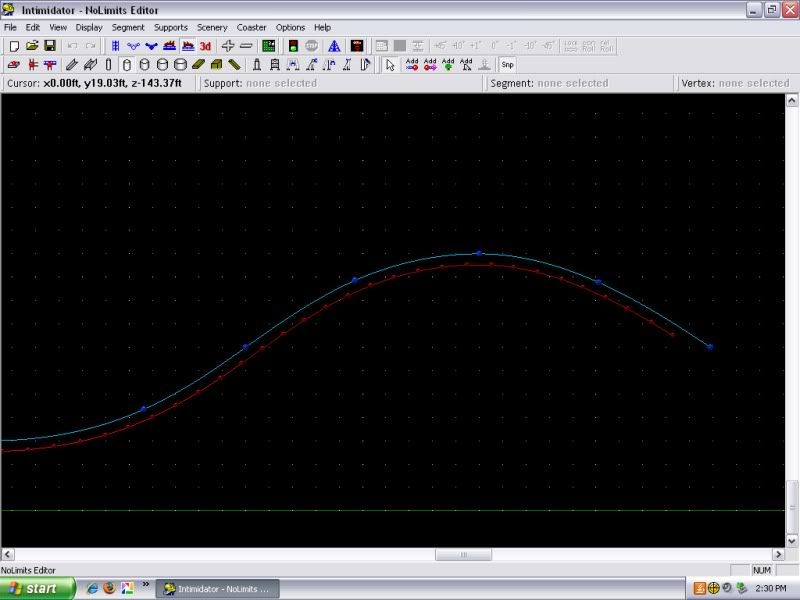
It would turn out like this:
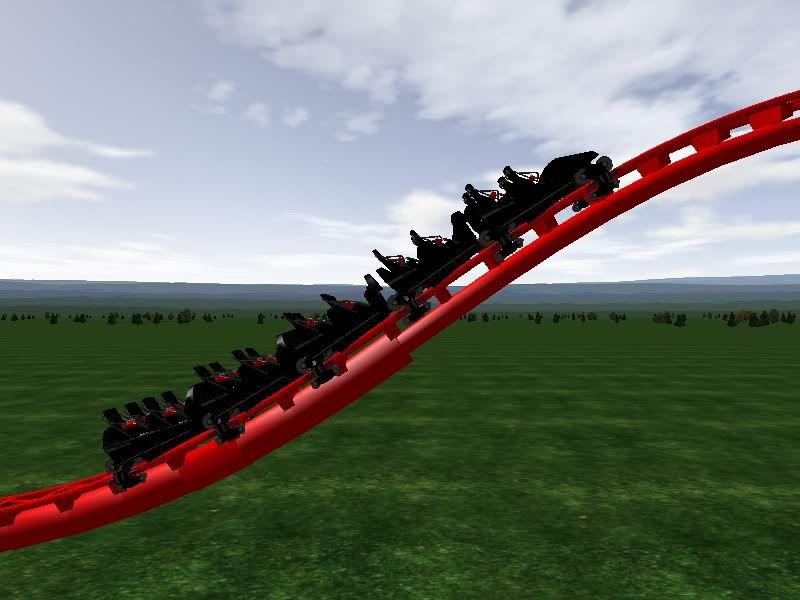
I don't know what you plan on doing, but it's an idea.
It would turn out like this:
I don't know what you plan on doing, but it's an idea.

That actually does not look too bad.
what happened to using the Tunnel creator?
Lol anyway, it would run Supa slow for me to, I would try to help, but now that I have started school, I have like no time for School, Band, Cross country, and helping people. =(
Lol anyway, it would run Supa slow for me to, I would try to help, but now that I have started school, I have like no time for School, Band, Cross country, and helping people. =(
Cedar Point FTW
Originally posted by haydawg149
What you could do instead of using 3-d's, is put a track node on every tie, then connect them with size 3 tubes, like this.
It would turn out like this:
I don't know what you plan on doing, but it's an idea.
What you could do instead of using 3-d's, is put a track node on every tie, then connect them with size 3 tubes, like this.
It would turn out like this:
I don't know what you plan on doing, but it's an idea.
The problem is that it needs to look like this:
There needs to be a space between the two spines.
Just keep scrolling...
Then he could just add another layer. It would take a lot more time because you have to use free nodes, but it's all up to him.
^Yeah. That actually might be easier than we think.. Just place a free node right under the track node. Try that A113.
Just keep scrolling...

The track node will build the spine through the track, free nodes will take forever to build a double spine and not have the spine wave back and forth. It takes awhile just to build a loop spine and have it look nice. The tunnel creator idea is not a bad one. Turn off the snap tool and have at it, get the shape nice and round, build the tunnel, then repeat for the lower spine. Then you have to build several thousand cross-ties, and you're done!
^ Already tried with tunnel maker, it looked like crap. Going with the support track node method.
I think I have a better way...
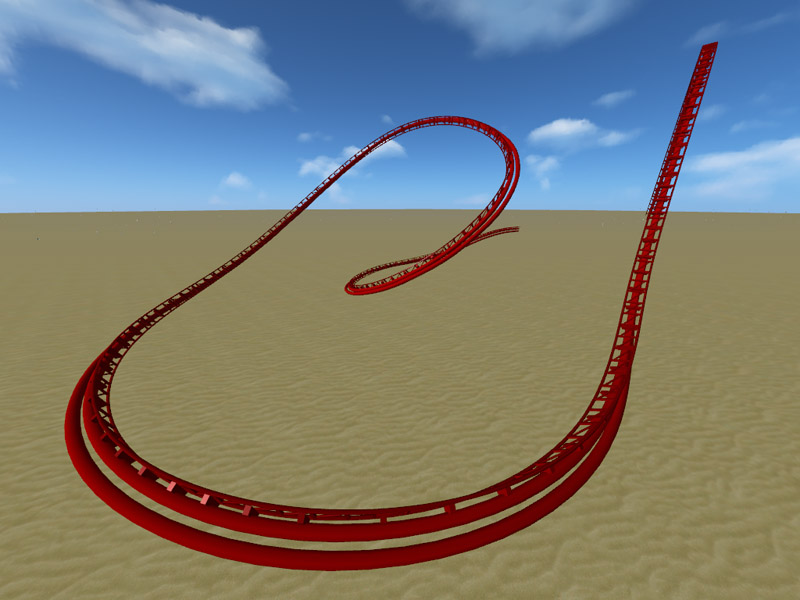
That took me all of 10min even with editing it in 3ds max. But I didnt create in max.
Oh the joys of a full version of the CK. I can create 2 spines, size them and position them. Only pesky part is adding all the tubes inbetween but something tells me I could make a third spine, position it, turn it into a spline in 3ds max and then run a placement tool to place a bunch of preset tubes at a set distance apart. Would make this rides spine VERY easy...
Image Insert:
115.81 KB
That took me all of 10min even with editing it in 3ds max. But I didnt create in max.
Oh the joys of a full version of the CK. I can create 2 spines, size them and position them. Only pesky part is adding all the tubes inbetween but something tells me I could make a third spine, position it, turn it into a spline in 3ds max and then run a placement tool to place a bunch of preset tubes at a set distance apart. Would make this rides spine VERY easy...
Image Insert:
115.81 KB
-
- Related topics
- Replies
- Views
- Last post
-
- Nightstalker now available on the exchange
by spacemountainfan619 » July 11th, 2013, 1:13 pm - 8 Replies
- 2905 Views
- Last post by spacemountainfan619

July 14th, 2013, 1:30 am
- Nightstalker now available on the exchange
-
- Maurer Spinning "Blitz" (Download available!)
by -Thrill- » December 9th, 2010, 6:14 pm - 20 Replies
- 4129 Views
- Last post by Metazoanhaddock
May 1st, 2011, 11:55 am
- Maurer Spinning "Blitz" (Download available!)
-
- Apocalypse:2012 Now available on the Exchange
by spacemountainfan619 » January 7th, 2012, 3:53 pm - 11 Replies
- 2724 Views
- Last post by spacemountainfan619
January 14th, 2012, 8:47 pm
- Apocalypse:2012 Now available on the Exchange
-
- A New Woodie - Emertex, Now available.
by tiepilot35 » February 9th, 2007, 7:22 pm - 2 Replies
- 679 Views
- Last post by tiepilot35
February 9th, 2007, 10:30 pm
- A New Woodie - Emertex, Now available.
-
- Fire Breather (Now availible for download!)
by Canadmos » October 11th, 2004, 11:52 pm - 9 Replies
- 1880 Views
- Last post by Canadmos
November 1st, 2004, 4:59 am
- Fire Breather (Now availible for download!)